
When launch planning, add these checklists to GitHub and check them off as you go through the launch. Please do not add the issues at the beginning of the project, as we regularly update these checklists and they are likely to change between the beginning of the project and launch.
All checklists have moved to the Special Projects CLI tool and are hosted on GitHub (internal access only):
https://github.com/a8cteam51/special-projects-checklists
To add a checklist to your project, you can use the Special Projects CLI tool’s following command:
team51 github:add-checklist
This will run you through a series of questions that will create a checklist relevant to your project.
Using the add-checklist command without a GitHub repo
If you’d like to generate our launch checklist markdown to bring with you elsewhere, like Linear or P2, you can add the --skip-issues option. This will print the distilled checklist markdown in the terminal window.
team51 github:add-checklist --skip-issue
DNS Migration to Pressable – Checklist (developed from the Better DNS Management Task Force)
The following checklist was developed to supplement the launch bullet point for “DNS Changes”. It was developed to help partners migrate to Pressable specifically, but it can be adapted to WPCOM as well.
The checklist is now available on GitHub (internal access only) using the team51 github:add-checklist command.
QA Engineer’s Checklist
This list is meant for a pre-check of our Launch Checklist items ahead of time and to be completed by our QA Engineers. This is not a replacement for the items in the launch checklist but a redundancy in our process and an opportunity to flag issues that require a fix earlier.
Copy-paste the list in GitHub or P2, and post your findings. Please go back to this list for every site you’re QA’ing, as this list will continue to change.
The checklist is now available on GitHub (internal access only) using the team51 github:add-checklist command. Ask a TAM to generate it.
Editing checklists
To edit the checklist, you will need to edit the Markdown files in GitHub. For the checklists it’s OK to edit directly in the browser and commit to the trunk branch. See the steps below:
- Find the checklist you want to edit here (internal access only):
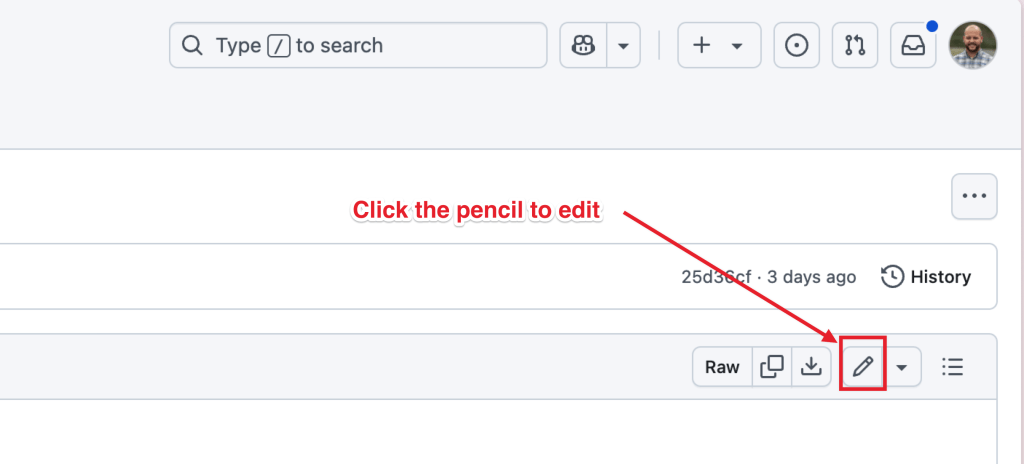
https://github.com/a8cteam51/special-projects-checklists/tree/trunk/checklists - Click the pencil to edit:
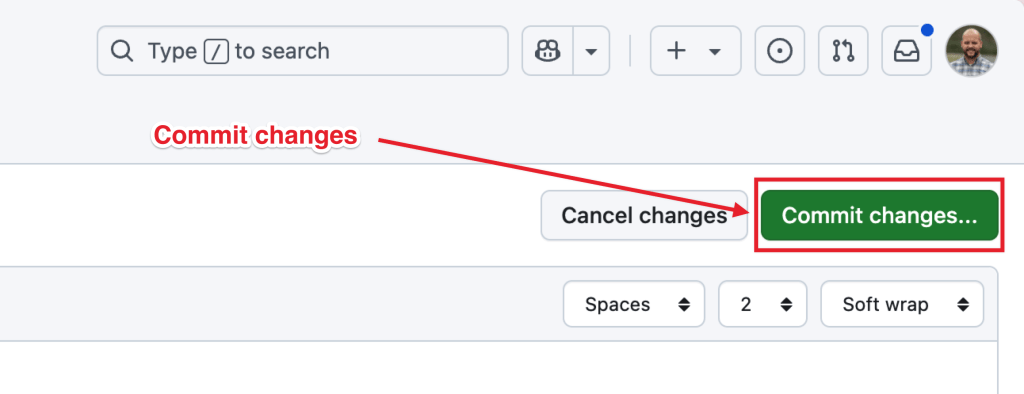
- Commit the changes when you’re done:
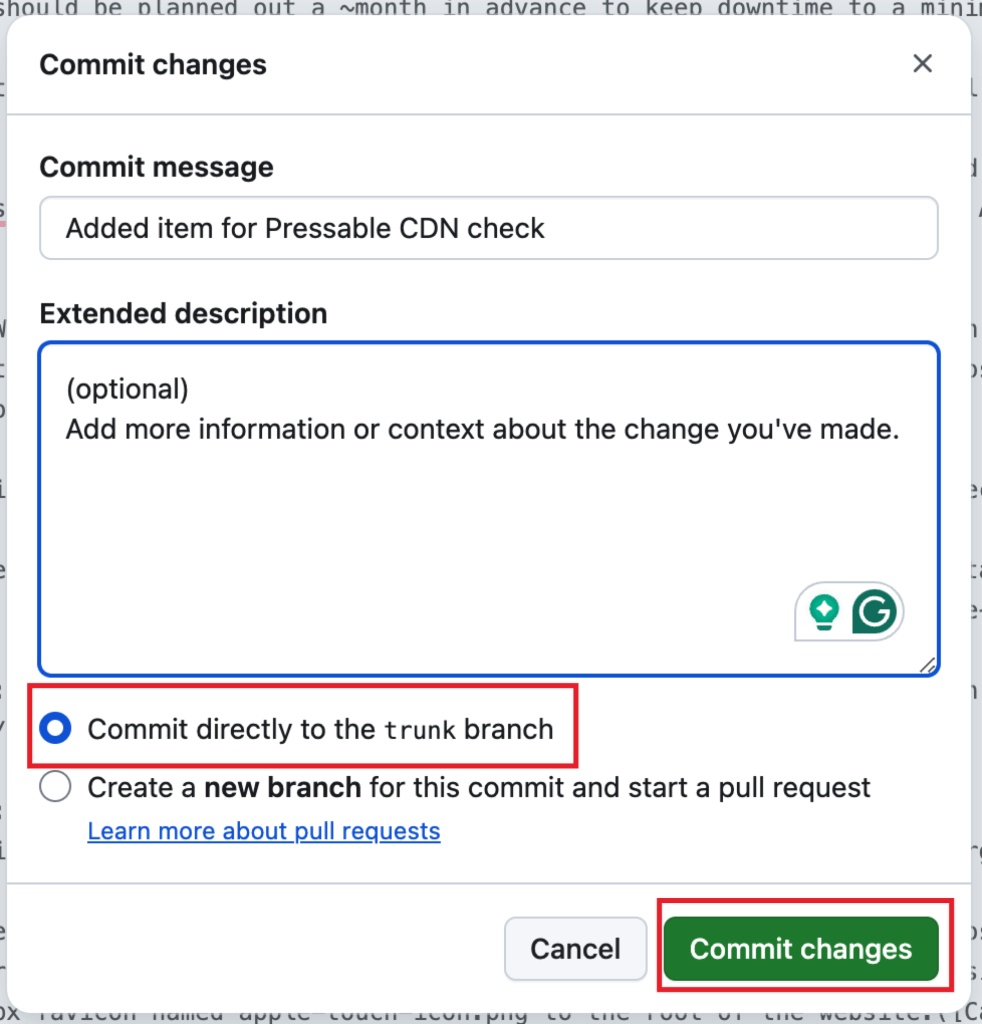
- Add a note about your changes, and commit directly to
trunk:
- The changes are committed immediately, but a validation script will run to ensure the updates are valid markdown. You can see the workflow run in the Actions tab, and if it fails, it’ll also output a message to the
team51-botsSlack channel. Please fix any validation errors before proceeding to use the checklist on your project.
 Automattic Special Projects