
As a friendly reminder, unless you are super comfortable being able to untangle any changes you make, please don’t merge any PRs to trunk and reach out for a developer to help you! However, preparing pull requests without merging them is generally relatively safe, but please ask for help if you feel uncomfortable.
This tutorial will assume you’re working with Git and GitHub on the CLI. As such, it assumes the following are installed and up to date (both can be installed on MacOS via homebrew fairly painlessly with the commands provided).
- Git (
brew install git) - GitHub CLI (
brew install ghand authenticated viagh auth login# )
The GitHub CLI isn’t strictly necessary, but it allows you to create and merge pull requests fully on the command line, and I’ll be using it in this demonstration.
Getting your changes onto Develop
This will already be familiar for most folks. You make a branch (add/feature in this example) off of Develop, then commit your changes to add/feature, and then make a pull request from add/feature to develop and merge the PR to develop.
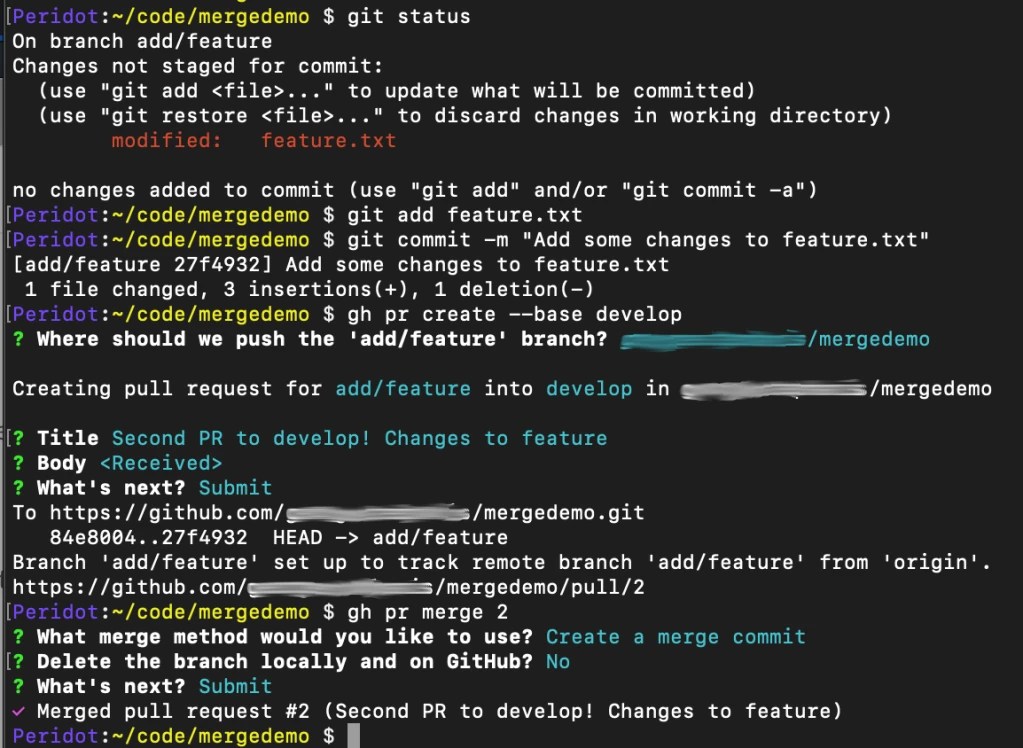
It’s worth noting that when creating the pull request, the --base develop parameter I added specifies that this pull request is meant to be merged into develop not trunk (as it would default otherwise to trunk)
Creating a merge branch to trunk
The first thing we’re going to do is create a new local merge branch off of trunk! For this demonstration, I’m going to name it merge/feature-name but it can be named anything really.
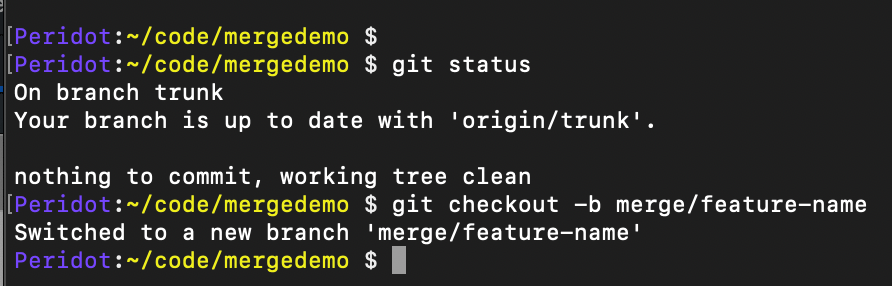
Now we need to get the hashes of each individual commit that we’d like to pull across! We can get them a number of ways — but what I generally like to do is compare trunk and develop on GitHub.com via a url that looks something like this:
github.com/org/repo/compare/trunk…develop
(obviously changing org and repo out for the respective url to the repository)
That will give you a view that looks something like this:
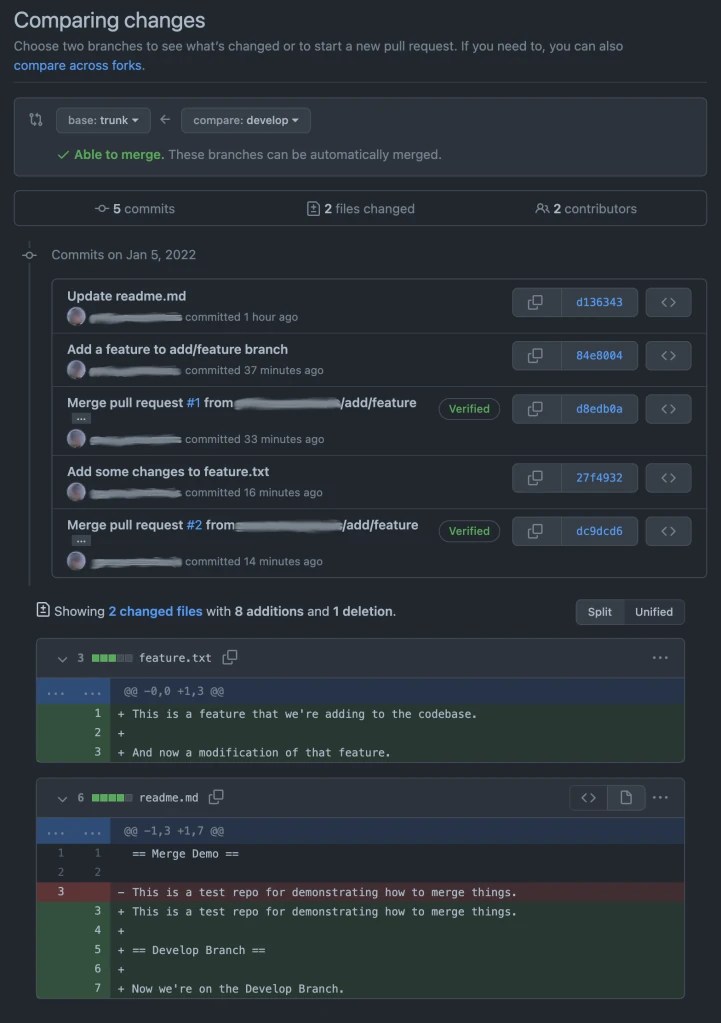
If the trunk and develop branches are in sync and you want to merge literally every change that you see in this view to production, you could just create a pull request going directly from develop into trunk — but more likely you’ll want to pick only the changes you want to merge and bring only those along.
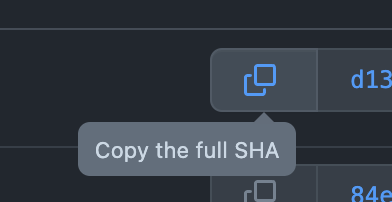
To do that, we’re going to click the “Copy the Full SHA” and we’re going to “cherry-pick” that commit into our merge branch. The commits are listed in sequence from top to bottom, so start at the top and work your way down — you don’t want to start applying them backwards!
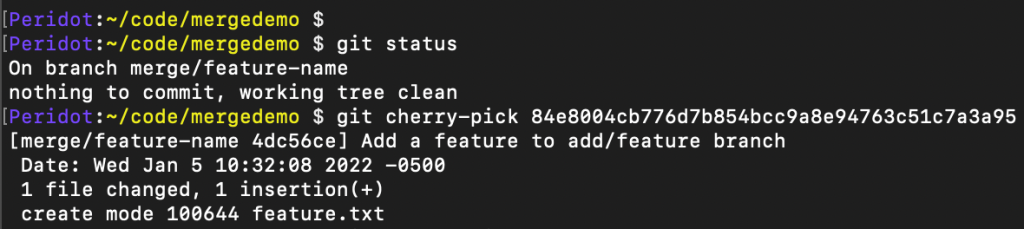
Once we’ve gone ahead and cherry-picked all the commits that we want to bring to trunk, we can just use gh pr create to create the pull request for it — or if not using the github cli tool, you can git push origin merge/feature-name to push the merge branch up to GitHub, and then create the pull request there.
It’s worth noting that in the git log output in the screenshot below, they are in reverse order (most recent first) unlike the comparison view we were just pulling from on GitHub.com which displayed oldest first. When in doubt, check the timestamps (however, due to merge order — if a stale pr got merged after a more recent one — those aren’t always going to be chronological)!
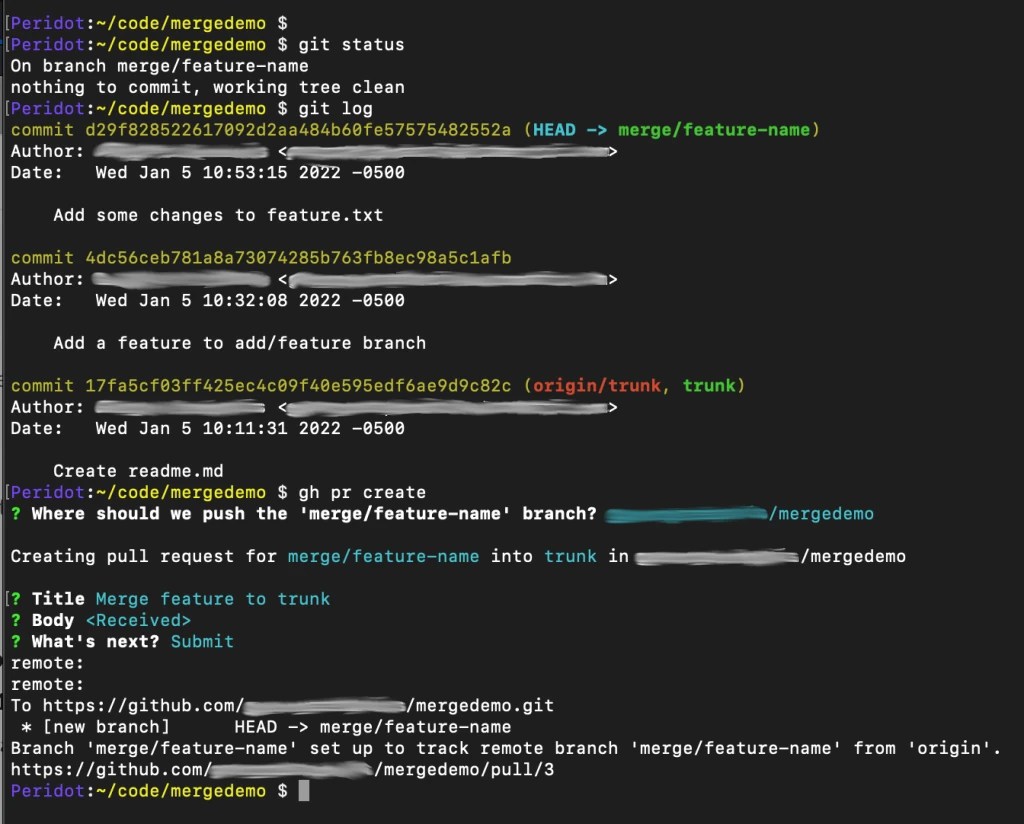
And finally at the provided url from ☝️ you can view and merge the pull request on GitHub like so 👇️
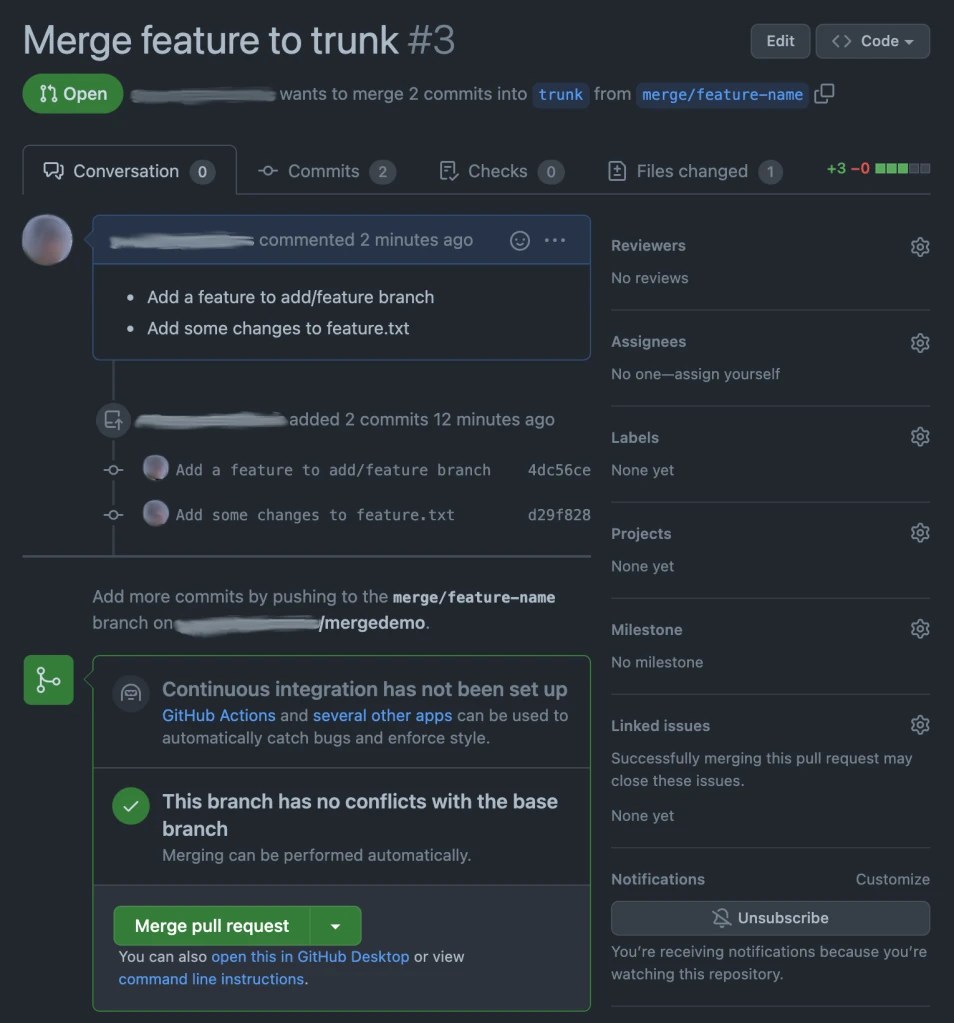
(or just gh pr merge 3 via the cli tool if you’d rather).
 Automattic Special Projects