
Giving Day for WooCommerce is an end-to-end fundraising platform built on WordPress and WooCommerce. It gives nonprofits the tools to run a full giving day campaign from pre-event countdown through live leaderboards to post-event results, all right within WordPress. Payments are handled by WooPayments.
How It Works
Features
Campaign COUNTDOWN
One block, three states
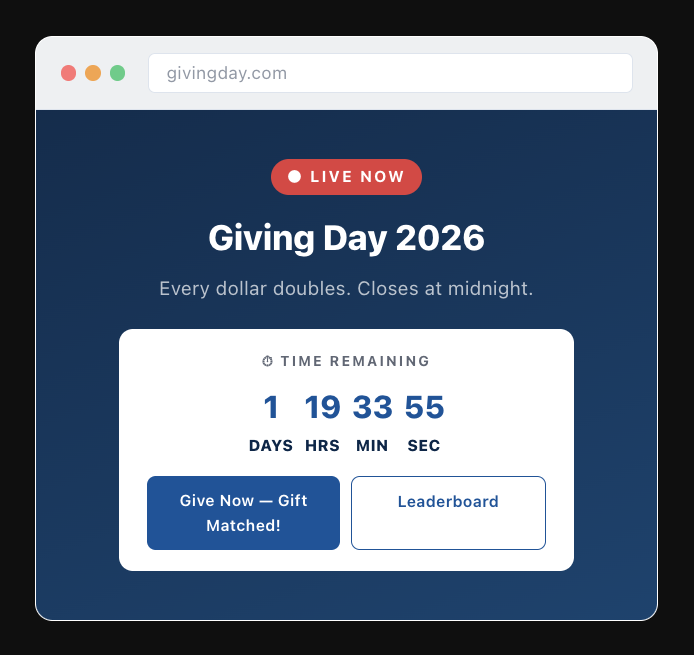
Before the campaign opens, the countdown block ticks down to the moment giving day starts. Once the event is live, switch the block to a real-time clock showing how much time is left to give. When the campaign closes, it displays final stats: total raised, donor count, and campaign results.
DONATION FORM
Modern, conversion-optimized giving
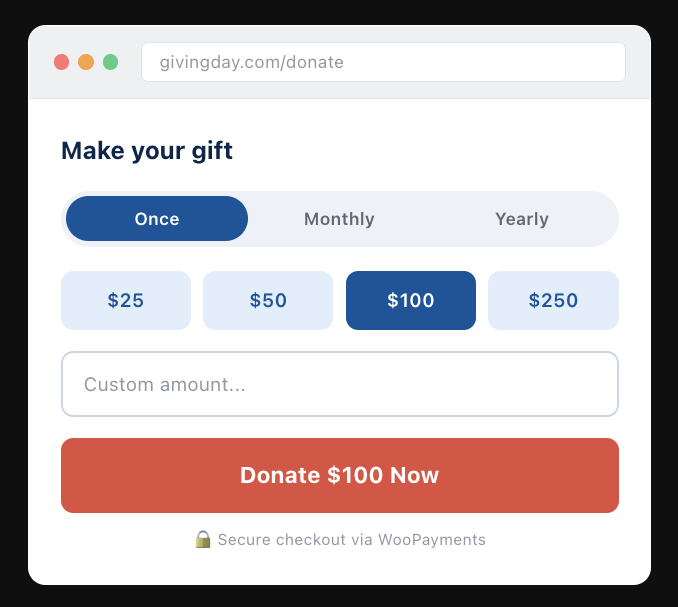
Supports one-time, monthly, and yearly frequencies. Preset amounts reduce friction. WooPayments is auto-provisioned on plugin activation — donors can give without leaving the campaign page.
Match My Gift block
Sponsor matches that create urgency
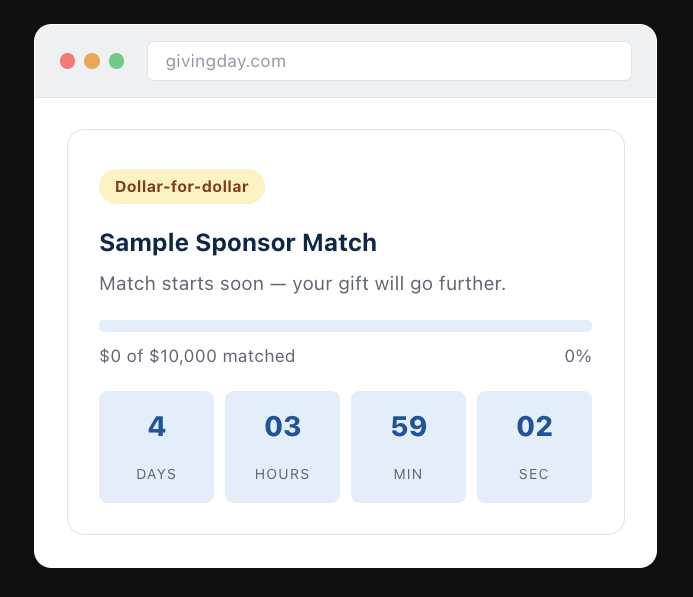
Configure match windows with a pool amount, date range, and multiplier. The block counts down to match start, then shows a live progress bar as donations are matched. Multiple match windows supported.
Cause areas & beneficiaries
Browsable taxonomy for any campaign size
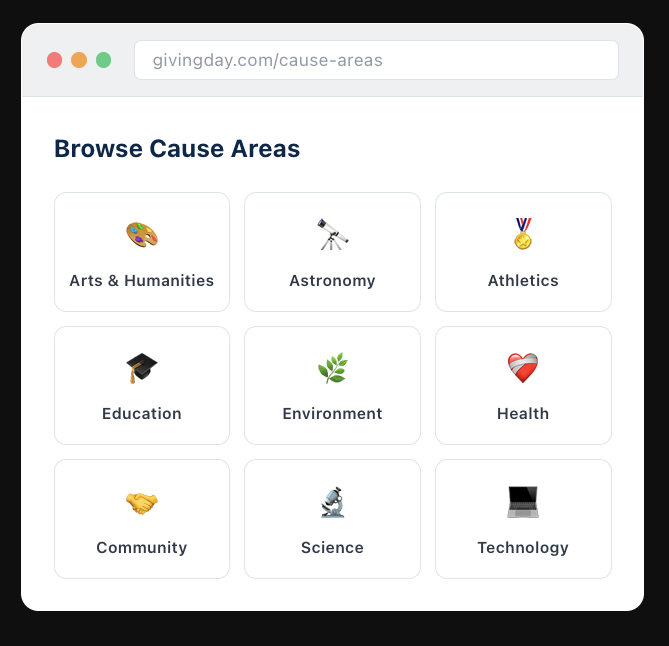
Organize funds into cause areas with images and descriptions. Donors browse and designate gifts to specific programs. Supports unlimited beneficiaries — scales from a 20-fund local campaign to a 500+ beneficiary university giving day.
Admin results dashboard
Full post-campaign reporting
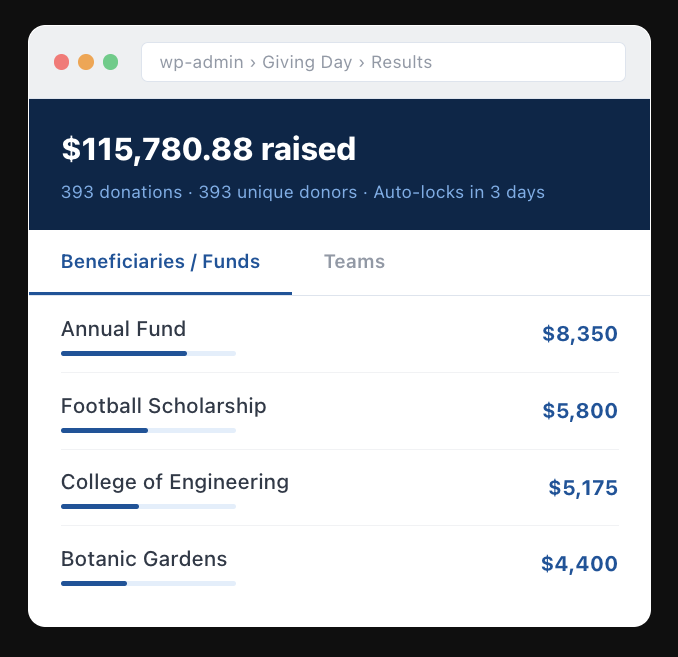
Breakdown by beneficiary and by team, with donation count and unique donor count. CSV export on both views. A review window lets organizers verify before locking in final results.
Components
| Team51 Donation Plugin | Core plugin. Registers all custom post types, taxonomies, blocks, and the WooCommerce product configuration. Handles phase detection and the aggregator that computes live totals. |
| FSE Block Theme | Brand-neutral parent theme. Provides the page templates, design tokens via theme.json, and the full-site editing structure for campaign pages. |
| Admin Results Dashboard | WordPress admin view showing post-campaign totals by beneficiary and team. Includes CSV export and a review/lock workflow for finalizing results. |
| WooPayments Integration | Sandbox WooPayments account auto-provisions on plugin activation. Production account setup is a one-step process in the WooCommerce onboarding flow. |

